How to remove UTM parameters from links
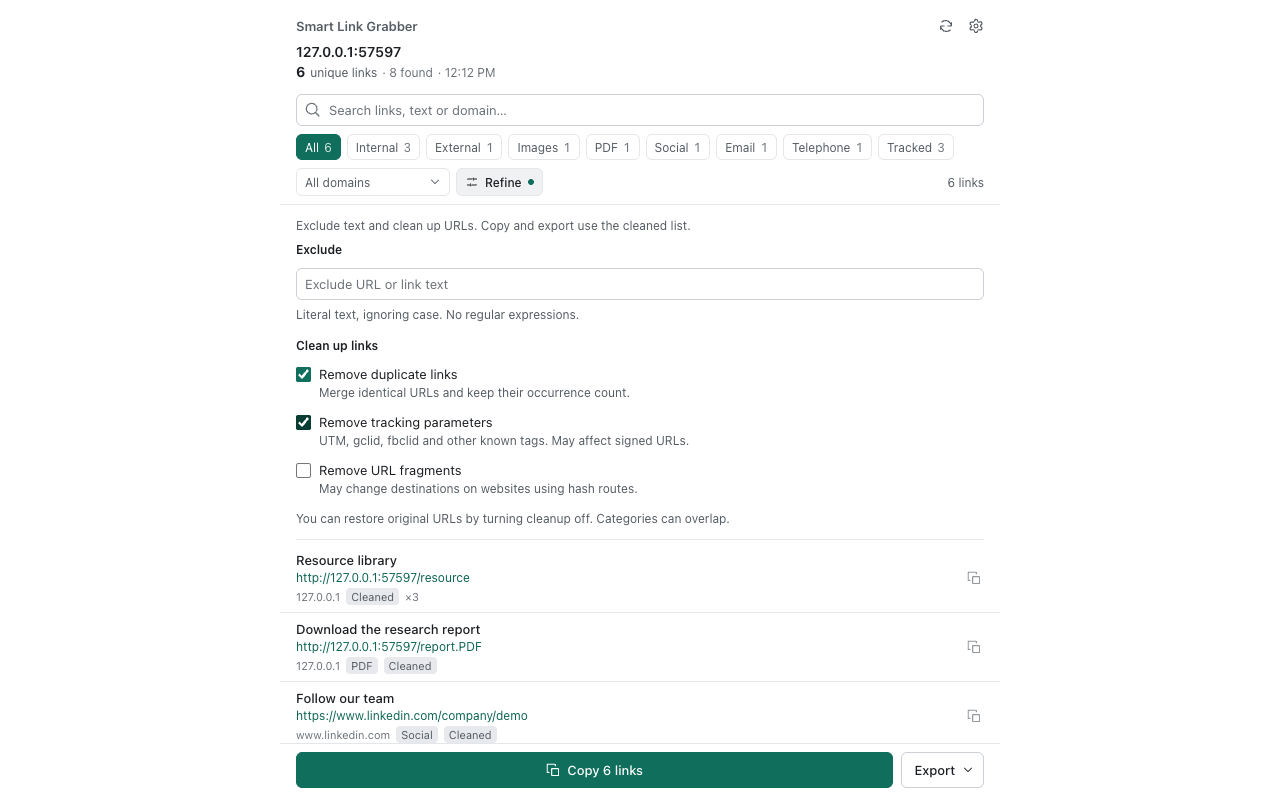
Campaign links often include parameters such as utm_source, utm_medium and utm_campaign. Smart Link Grabber can remove known tracking parameters from the links collected on your current webpage.
Example: a cleaner URL
For a link such as https://example.com/report?utm_source=newsletter&utm_medium=email, removing the UTM parameters leaves https://example.com/report.
Clean extracted links step by step
- Install Smart Link Grabber from the Chrome Web Store.
- Open the source webpage and scroll to load the links you need.
- Click the extension icon to open the side panel and collect links.
- Filter the results by category, search text or domain.
- Use the tracking-parameter cleanup control and review the resulting URLs. You can restore the originals.
- Remove duplicates if needed, then copy or export the filtered list as TXT, CSV or JSON.
Keep parameters that the page needs
A query string can also contain a search term, product identifier, language choice or access token. Removing every parameter can change the destination or break a signed link. Use the known-tracking cleanup, check important destinations and restore the original URL if it stops working.
Cleaning an exported URL does not edit the source website and does not remove all forms of online tracking. The extension collects loaded main-document links; it does not crawl other pages automatically.