How to export webpage links to CSV
A CSV file lets you sort, filter and share a link list in a spreadsheet. Smart Link Grabber exports the links you have filtered, not just the ones visible on screen.
Steps
- Install Smart Link Grabber.
- Open the page, scroll to load its content, and click the toolbar icon.
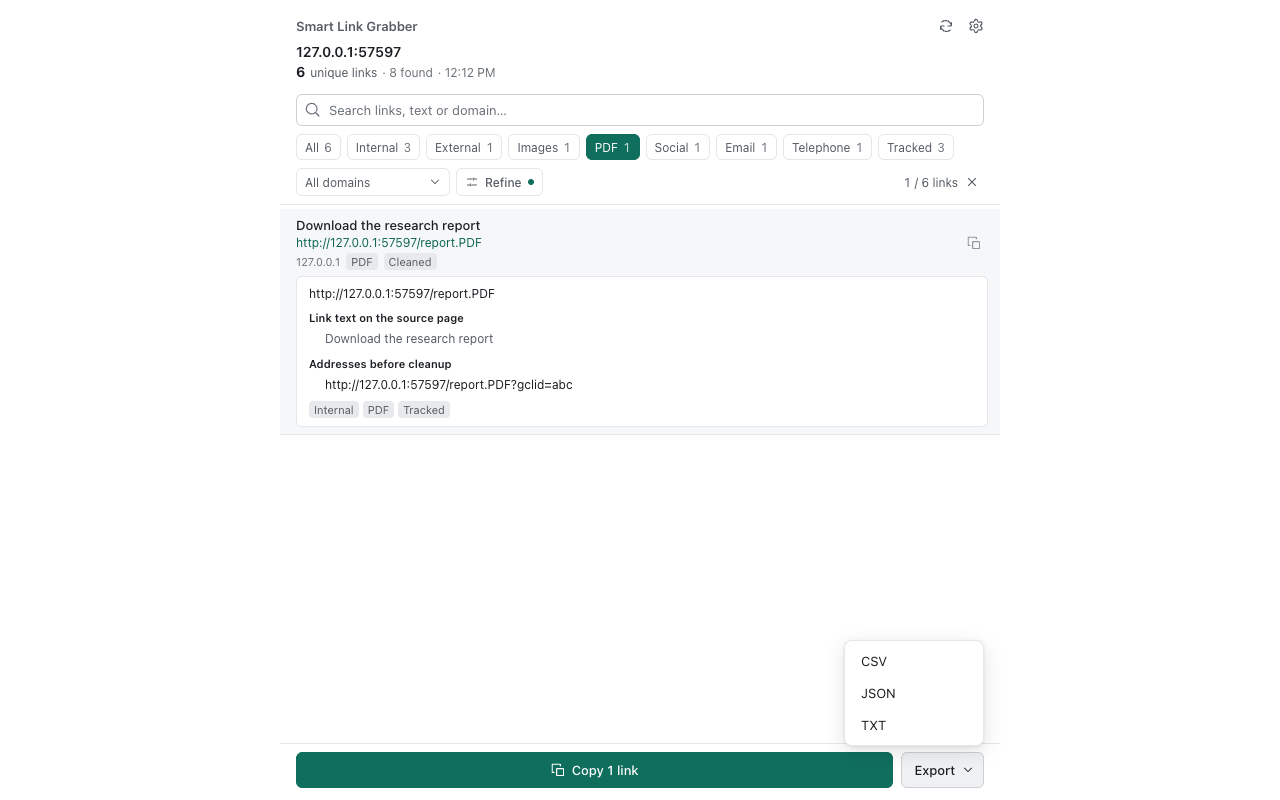
- Apply the category, search or domain filters you need.
- Choose whether to remove duplicates and tracking parameters.
- Open the download menu and choose CSV.
- Open the file in Excel, Numbers or Google Sheets.
Notes
- The export contains all results matching your filters, including those beyond the visible page of the table.
- Choose TXT for one URL per line, or JSON for structured data.
- Email and telephone links may contain personal information; handle exported files accordingly.